A fleet owner needs more than an invoice total: each car’s earnings after fuel, servicing and other costs matter. Finance combines selected driver-settlement revenue with vehicle and company expenses. After reading, you can set a period, interpret four KPI cards and understand where the figures originate.
1. Set the taxi fleet finance period
- Go to Finance.
- Choose This week, This month, Previous month, This quarter, This year or Previous year.
- For dates of your own, click Custom range, select both dates and click Apply.
Compare vehicles over the same period. A tyre cost posted in one month can temporarily lower a car’s margin even when it remains profitable over a quarter.
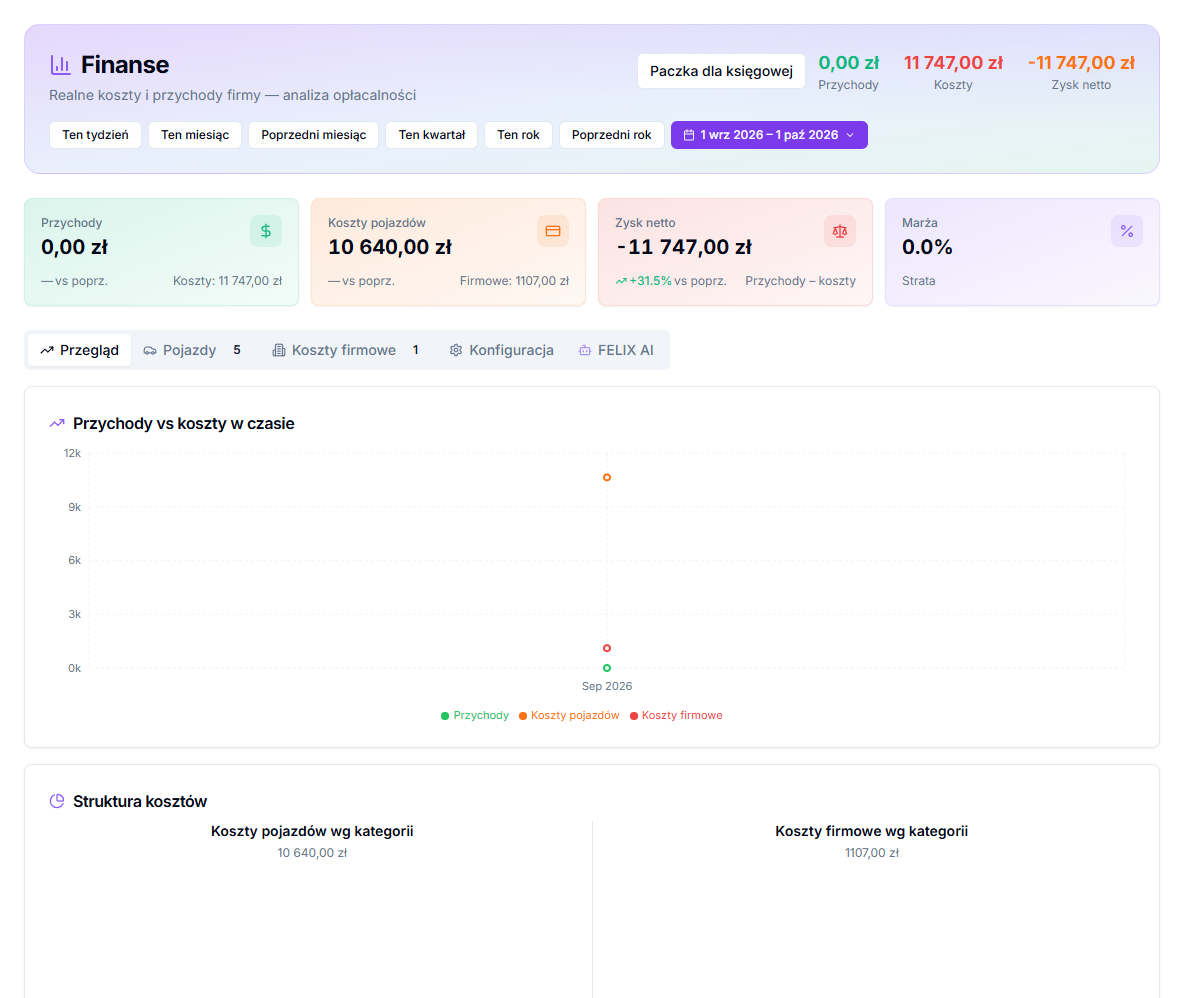
2. Read revenue, costs, net profit and margin
Revenue is the total of settlement fields configured as company revenue. Vehicle costs are service records assigned to vehicles, with company costs shown alongside. Net profit is revenue less all those costs. Margin expresses this as a percentage of revenue and can show Good margin, Low margin or Loss.
Overview and Vehicles: finding vehicle result
Overview shows cost structure and revenue versus costs over time. Vehicles groups cost by car and category, letting you compare record counts and total cost. Use it to spot whether repeated servicing on a registration is consuming the result from Bolt, Uber or FreeNow settlements.
A service record assigned to a car affects vehicle costs. A KSeF invoice assigned as a company cost can create such a cost when a vehicle is selected; a cost with no vehicle stays company-wide.
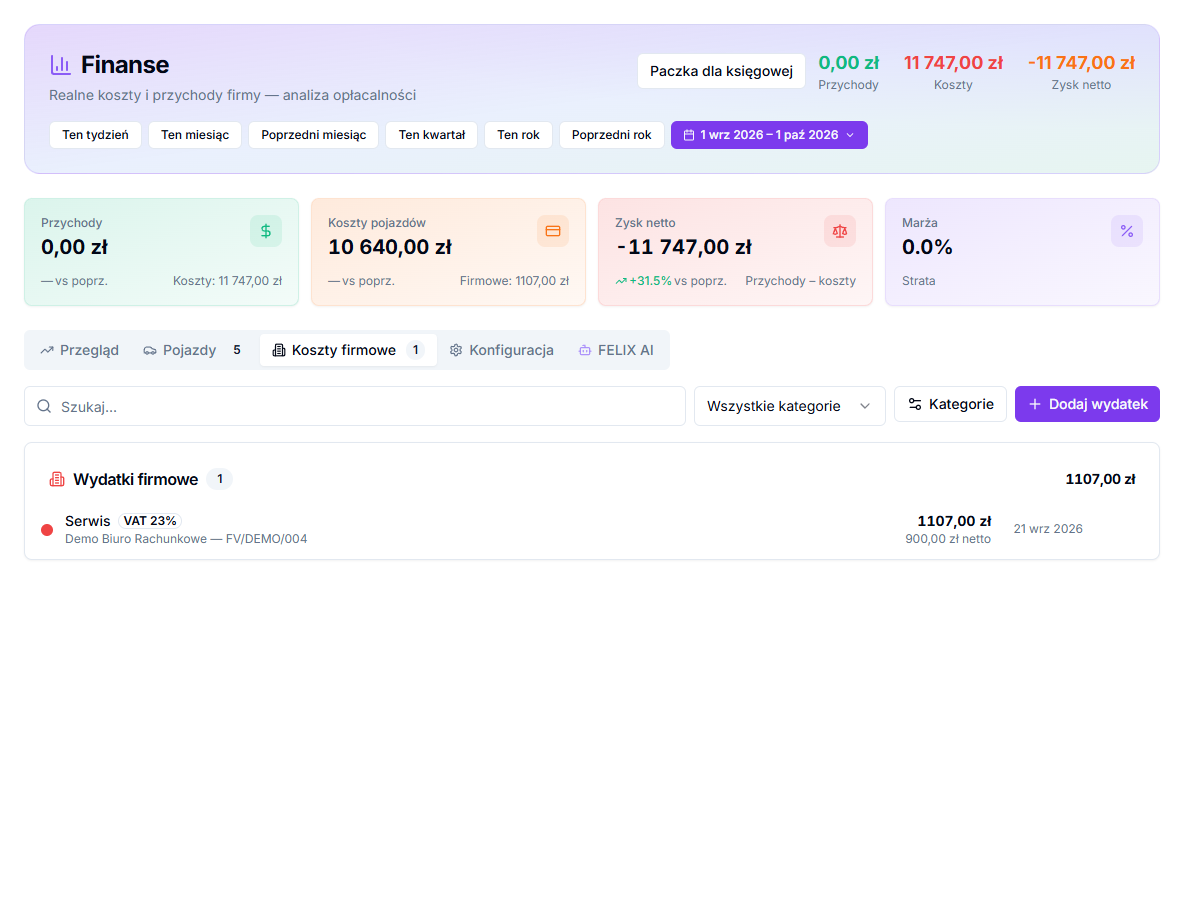
Company costs and categories
- Open Company costs.
- Click Add expense for a cost that does not come from an assigned KSeF invoice.
- Select Category, enter Date and Gross amount (PLN); net and VAT rate are optional.
- Save and return to the same period in the overview.
Revenue configuration and FELIX AI
In Configuration, select weekly driver-settlement fields that count as company revenue and click Save configuration. The change applies retrospectively, so check a previous month afterwards. The FELIX AI tab starts and saves analyses; treat answers as analytical support, not a replacement for accounting advice.
Read the result without rushing to conclusions
Comparing two vehicles makes sense only when both have equally complete cost history. If one car's servicing is assigned to the vehicle but the other car's invoices remain New in KSeF, the Vehicles view is not yet a fair comparison. Review unassigned documents and company costs for the same period before judging profitability.
Revenue is not automatically every field in a driver settlement. In Configuration, select only the fields that represent company revenue in your settlement model. Change that selection carefully: it applies retrospectively and can alter previous months. Compare the configuration with the way you interpret platform reports before making decisions about a vehicle.
Car washes, office equipment and accounting may matter to total company profit without being the cost of one car. Keeping them in Company costs preserves the distinction between vehicle profitability and shared overhead. Finish by checking the monthly package for complete documents and revenue.