When a driver fuels a fleet vehicle using an invoice issued to the company, the company can reclaim VAT and return an agreed part to the driver. Fuel invoices collect documents on the driver record, calculate the refund at your chosen percentage, and let you add it to a weekly settlement.
Set the VAT refund percentage and automatic matching
- Go to Settings → KSeF.
- In Driver fuel invoice VAT refund, %, enter a percentage from 0 to 100 and select Save.
- To assign KSeF documents by vehicle, enable Automatic fuel invoice assignment to driver.
- Set Assign invoices from and select Save.
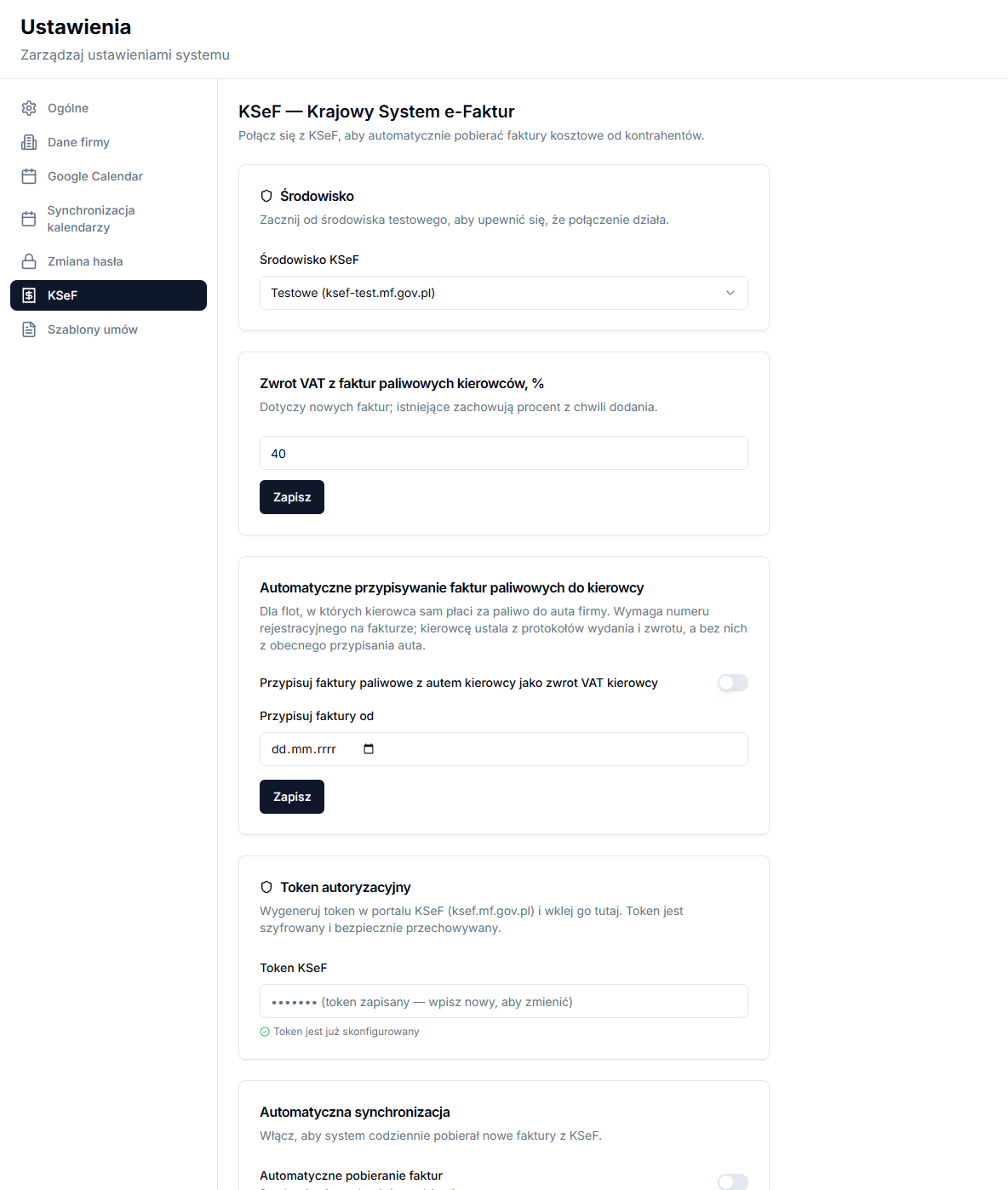
Automatic assignment requires a registration plate on the invoice. The app identifies the driver from vehicle handover and return protocols, or, if those are unavailable, from the vehicle’s current assignment. It is intended for fleets where drivers pay for fuel used in a company vehicle.
Add a fuel invoice on the driver record
Open the driver record and find Fuel invoices (VAT refund). Enter vehicle registrations in Registration numbers and select Save. They are used to automatically assign invoices from KSeF.
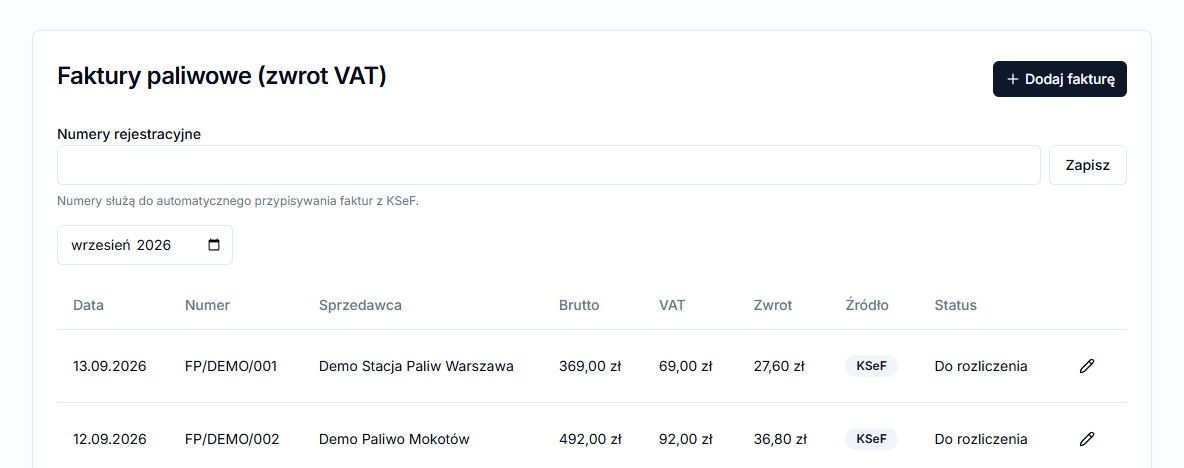
To enter a document manually, select Add invoice, then fill in Number, Date, Seller, optional tax ID, Gross, VAT and Note. The form displays the projected Refund and its percentage. VAT cannot exceed gross amount.
Each table row has source KSeF or Manual, and status To settle or Settled: [period]. An unsettled invoice can have its VAT and note edited; a manual invoice can also be deleted.
Fill the VAT refund in a weekly settlement
Go to Settlements → Weekly settlements, choose a week and open settlement actions. Select Fill VAT refund from fuel invoices. The app updates only drivers with a template containing a fuel-invoice source, and reports updated and skipped entries.

In the template editor, select one of the Fuel invoices options under Import source: VAT or VAT refund. To add the refund to a driver’s payout, give the field the appropriate Impact on result, normally + to Payout. See Template field sources and deductions for configuration details.
Calculation example and period check
For an invoice of PLN 492 gross with PLN 92 VAT and a 40% refund setting, the projected refund is PLN 36.80: PLN 92 × 40%. The system displays the refund on the document, but it reaches a weekly settlement only when the template has the right Fuel invoices source and the field has the appropriate impact on result.
Check the invoice date and settlement period. The fill action uses unsettled invoices dated no later than the selected period end; it is not an automatic payment. Once the settlement is saved, the document is linked to that period, so filling again should not return the same VAT twice.
If a KSeF invoice was not assigned, check the registration plate on the document, plates stored for the driver, and the vehicle handover history. Ambiguous results need manual review. In taxi-fleet settlements, this prevents a VAT refund being returned to someone who was not using the vehicle at that time.