A settlement template is your own weekly settlement form. You decide which amounts you enter, what the system calculates and which items make up the driver's payout.
Where to find templates
In the menu, choose Rozliczenia → Szablony rozliczeń (Settlements → Settlement templates). Each template shows its number of categories, fields and assigned drivers.
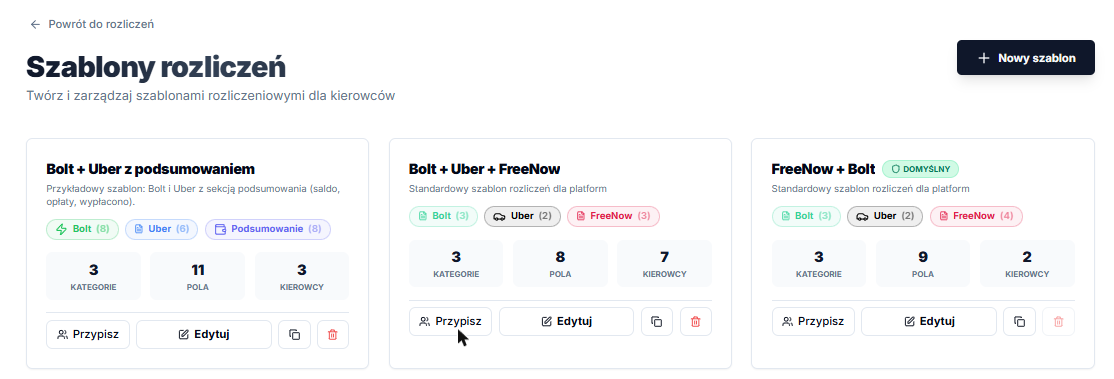
- Nowy szablon (New template): creates an empty template.
- Edytuj (Edit): opens the template editor.
- Copy (two-sheets icon): creates a copy you can change for another group of drivers.
- Przypisz (Assign): assigns the template to drivers (see Assigning a template).
How a template is built
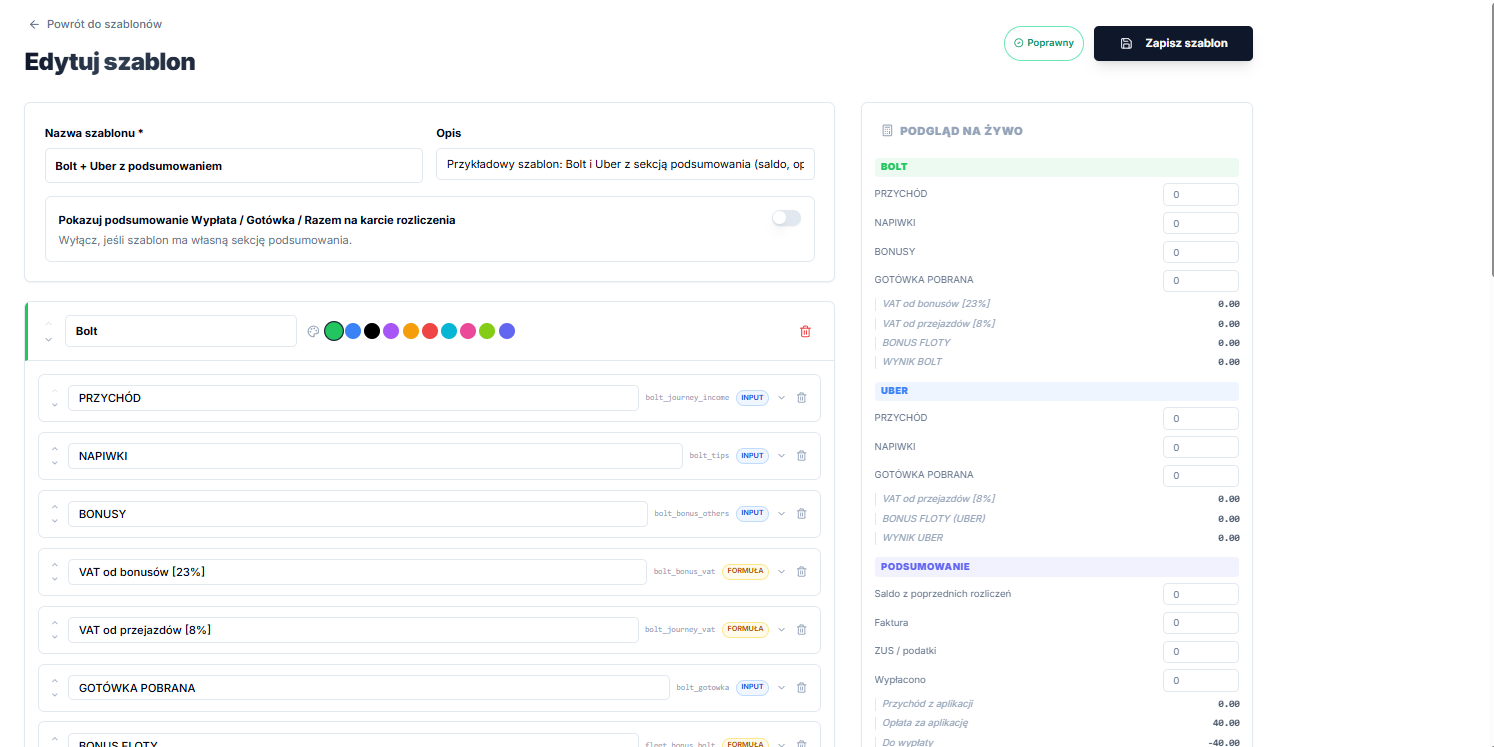
A template is made of categories (for example Bolt, Uber, Summary), and each category contains fields. Add a category with Dodaj kategorię (Add category) and a field with Dodaj pole (Add field).
Each field is one of two types:
- INPUT: an amount you enter every week, for example app income or cash collected.
- FORMUŁA (FORMULA): an amount the system calculates, for example VAT or a platform result.
Click the INPUT / FORMUŁA badge next to a field to switch its type. Use the arrow on the right to expand the field's settings.
Formulas
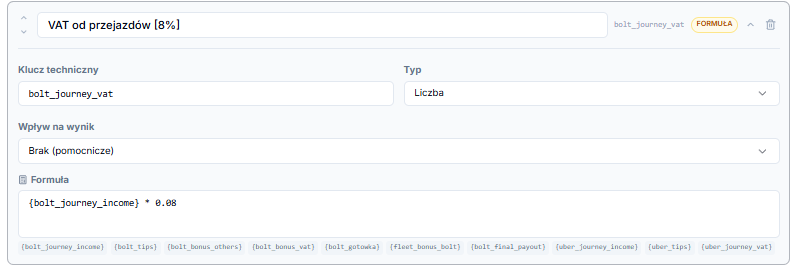
A formula refers to other fields by their Klucz techniczny (technical key) in curly brackets. Examples:
{bolt_journey_income} * 0.08: 8% of journey income,{bolt_netto} - {bolt_gotowka}: income minus cash collected.
Enter formulas without an equals sign. The available keys are listed under the formula box, and clicking a key inserts it into the formula.
Contribution: the most important setting
Every field has a Wpływ na wynik (Contribution) setting. The system uses it to calculate the settlement's Payout and Cash totals, which go into the PDF, the bank transfer batch and the driver app.
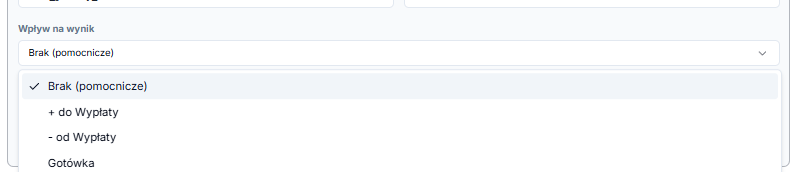
- Brak (pomocnicze) (None / helper): used only in calculations, not added to the payout directly.
- + do Wypłaty (add to payout): the amount is added to the driver's payout.
- - od Wypłaty (deduct from payout): the amount is deducted from the payout (for example car rental).
- Gotówka (Cash): cash collected by the driver.
The most common mistake: counting twice
If you have a total field (for example Total payable) that already includes the Bolt and Uber results, set + do Wypłaty (add to payout) only on that total. The component fields (Bolt result, Uber result) must be set to Brak (None). Otherwise the same amount is counted twice.
The same goes for cash: set Gotówka (Cash) only on the fields where you enter cash collected, not on the platform results.
Check before saving
In Podgląd na żywo (Live preview) on the right, enter sample amounts and check that Payout and Cash at the bottom match your own calculation. The badge at the top shows whether the template is Poprawny (Valid). Finally, click Zapisz szablon (Save template).
Payout / Cash / Total summary
You can turn off Pokazuj podsumowanie Wypłata / Gotówka / Razem na karcie rozliczenia (Show Payout / Cash / Total summary on the settlement card) if your template has its own summary section (see Balance and summary). Calculations work exactly the same; only the card layout changes.