Importing a file alone does not decide where Bolt, Uber or FreeNow amounts go; the driver’s settlement template does. This guide shows how to set field sources, read import-preview messages, and distinguish a visual deduction from a setting that actually changes payout.
Open the settlement template editor
- Go to Settlements → Templates.
- Select Edit for a template or create one with New template.
- Expand the field to populate from a report and check its name and Technical key.
- Under Import source, choose a metric or use Advanced: custom expression for a calculation.
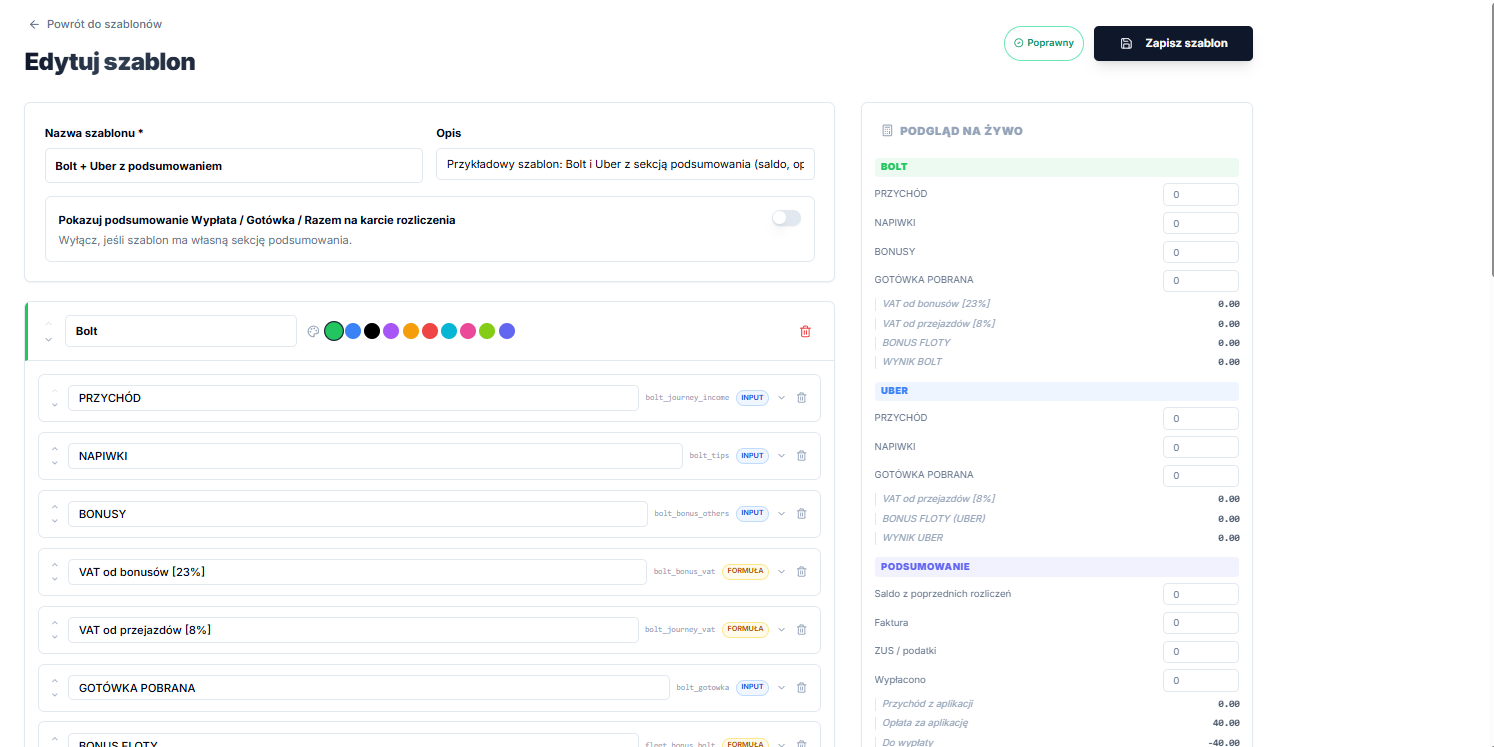
The source list contains values actually read by the import: Bolt gross and net earnings, commission and cash; Uber earnings, fare, tips, promotions, taxes and cash; and FreeNow turnover, net commission, cash, net bonuses and adjustments. A custom expression can combine brace-wrapped metrics, such as {bolt.net} - {bolt.cash}. A metric absent from a file does not become zero automatically; it simply provides no value to a field.
If the template follows the standard layout, use Fill standard import sources, then select Save template. See Settlement templates for template fundamentals.
Set payout impact and the deduction flag
Impact on result drives the calculation: None (supporting), + to Payout, - from Payout, or Cash. - from Payout really deducts the value, so use it only for a field that should count as a cost.
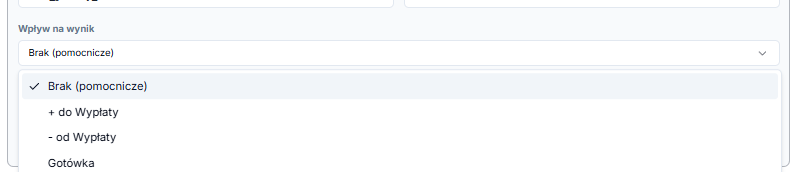
The Deduction (show in red with a minus sign) flag serves a different purpose: it changes only how an amount looks on the settlement card and PDF. It does not change calculations or payout. Use it when the field already has the right impact but should be visibly labelled as a deduction.
How to read messages in the import preview
After analysing files, choose a week and review Preview — what will be saved. For a driver with a template, the app lists fields, their new values and useful notices.
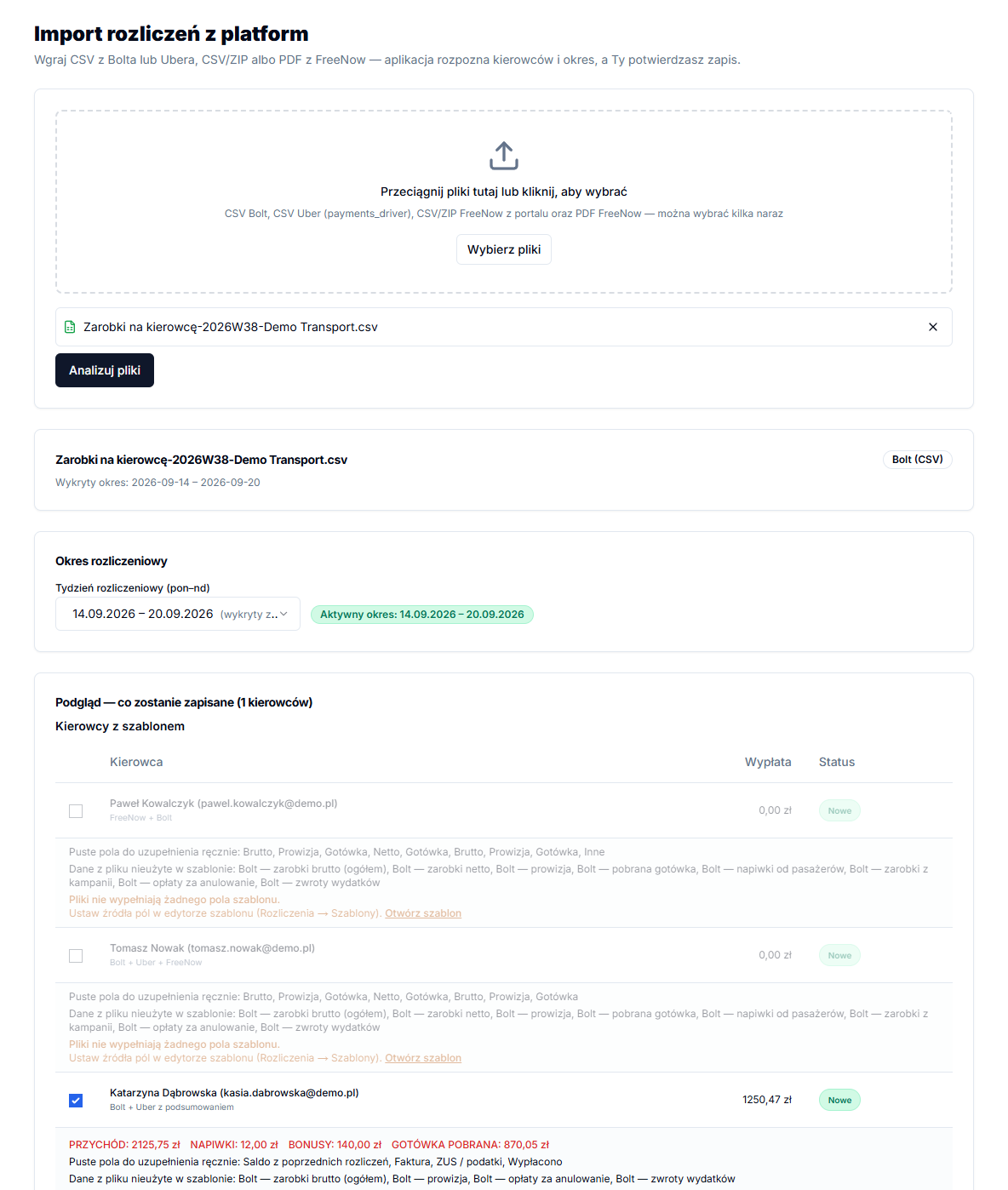
- The files do not fill in any template fields. No field has a matching configured source. Open the template and set an Import source; that driver cannot be saved from this import.
- File data not used in the template: the parser found metrics, but no field source uses them. Add a field or intentionally leave those data out.
- Empty fields to complete manually: these are manual input fields without an imported value. Fill them later in the settlement if required.
- Carried over from the previous week: applies to fields using Remember from previous week.
An example of a platform-data field
For example, a “Bolt cash” field can use the Bolt cash source and have Cash as its impact, while a “Bolt result” field can be a formula using the relevant metrics. The template, not a field name alone, determines the outcome. After import, inspect a real driver in the preview: when revenue was parsed but did not populate a field, a source is usually missing or the expression refers to a different metric.
A common mistake is to treat Deduction (show in red with a minus sign) as an actual subtraction. The flag only controls appearance. For a vehicle-rental charge to reduce payout, its field needs - from Payout. Conversely, a final total should receive + to Payout only when the component fields are supporting values.
When importing a week again, inspect red changes before confirmation. This gives you time to correct the template instead of overwriting previously saved data with incorrect mapping.