Taxi fleet vehicle records keep each car, its current driver and maintenance details together. For a fleet renting cars to Bolt, Uber or FreeNow drivers, this makes deadlines and costs easier to verify before the next shift. This guide explains the records and checks that help you act on the real condition of the vehicle.
Complete the workflow
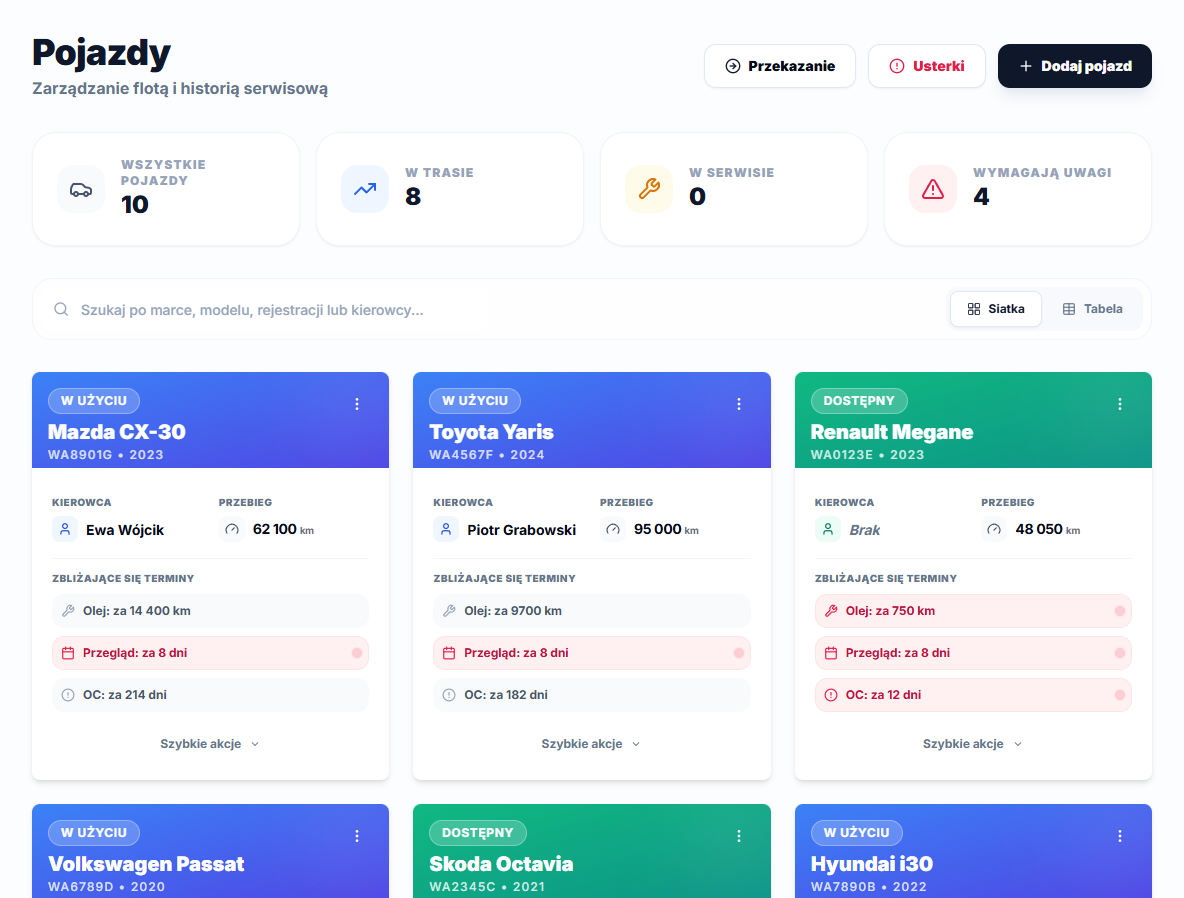
Open Vehicles and choose Add vehicle. Complete Make, Model, Year and Registration number, choose Status and an Assigned driver, then select Save changes. On the vehicle profile use Add service to save Date, Mileage (km), Category and cost. Use the matching service category and fields for insurance, periodic inspection and oil service.
Use the information in context
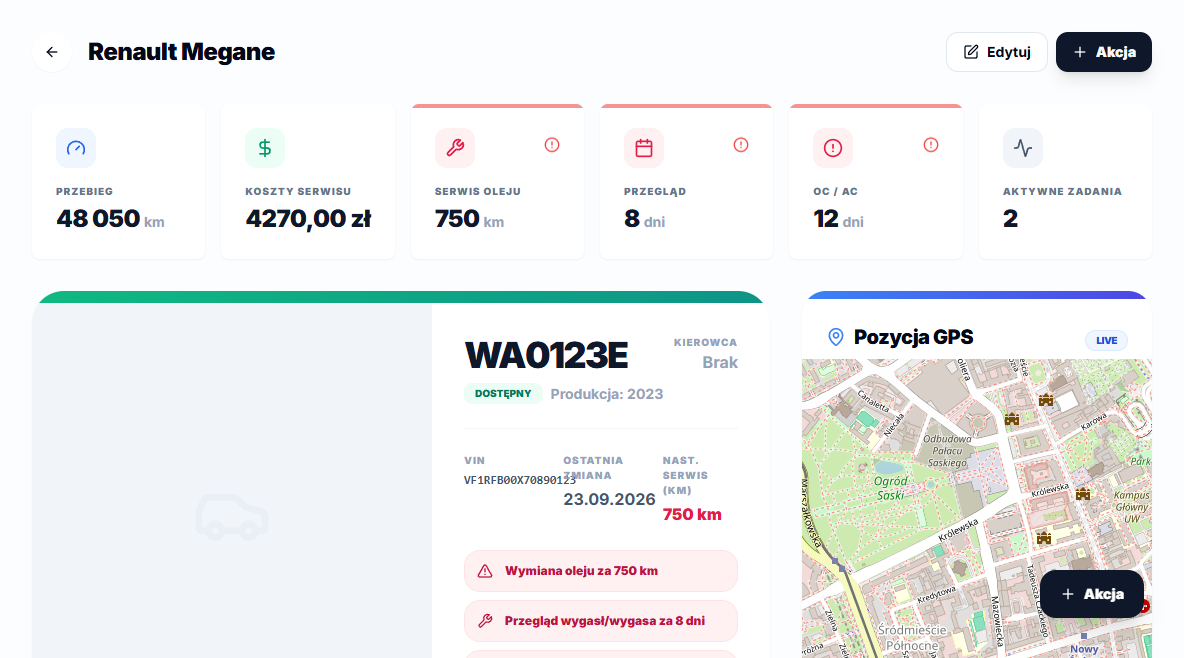
A Renault Megane WA0123E profile can show Oil change in 750 km and Inspection expired/expires in 8 days. Those warnings are calculated from saved service records, not created as manual reminders.
Vehicle status is a manual field
The Status field has four values: Available, In use, Under repair and Retired. Changing it on the vehicle form is a separate action — creating a fault report, a handover protocol or a service record does not switch it automatically. When a car goes to a workshop, set Under repair by hand on the vehicle profile, then switch back to Available or In use once it is picked up. Use Retired for a vehicle leaving the fleet for good — its service history, costs and protocols stay on the profile, so nothing needs to be deleted.
The urgent-vehicle count on the Vehicles list flags a car when fewer than 1,000 km remain to the next oil change, fewer than 14 days remain to inspection or insurance, or its status is Under repair. Setting that status alone raises the count even when every deadline is still far away, which is worth remembering when you scan that number during a morning fleet check.
The Service costs tile adds up the gross amount of every service record ever saved on the vehicle's profile, not just the last year or month. An older car with a long history will therefore show a naturally higher total than a recently added one, even if both are in similar condition — keep that in mind before drawing conclusions from that single number alone.