Protocol settings define the photo and equipment checklist used when a taxi-fleet car is issued or returned. A practical, consistent checklist makes protocols comparable when drivers change. This guide explains the records and checks that help you act on the real condition of the vehicle.
Complete the workflow
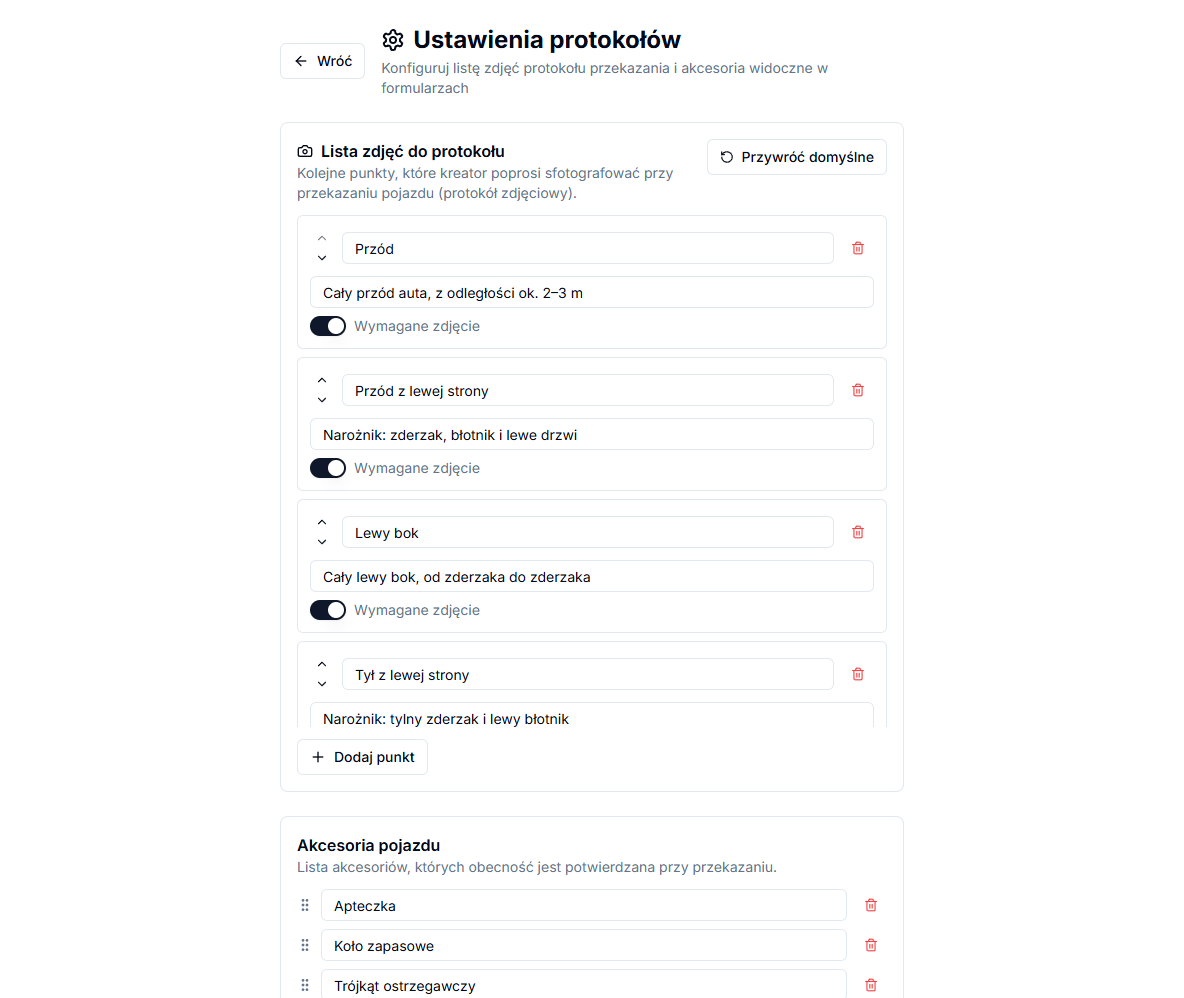
Open Protocols → Protocol settings. In Protocol photo list, choose Add point, complete Point name and optional Hint (optional), enable Required photo only where necessary, arrange points by drag and drop, and select Save settings. In Vehicle equipment, add items through New item..., arrange them and save again.
Use the information in context
Restore defaults replaces the active photo-point list and saves it immediately. It changes configuration only; signed protocols retain their photos and recorded damage.
Point names matter for the next protocol
Restore defaults loads seventeen photo points covering a full walk-around — front, sides, corners, all four wheels, interior and boot — each marked as required. The default equipment list covers a first-aid kit, spare wheel, warning triangle, fire extinguisher, keys and an owner's manual; you can extend or shorten it to match what the fleet actually carries.
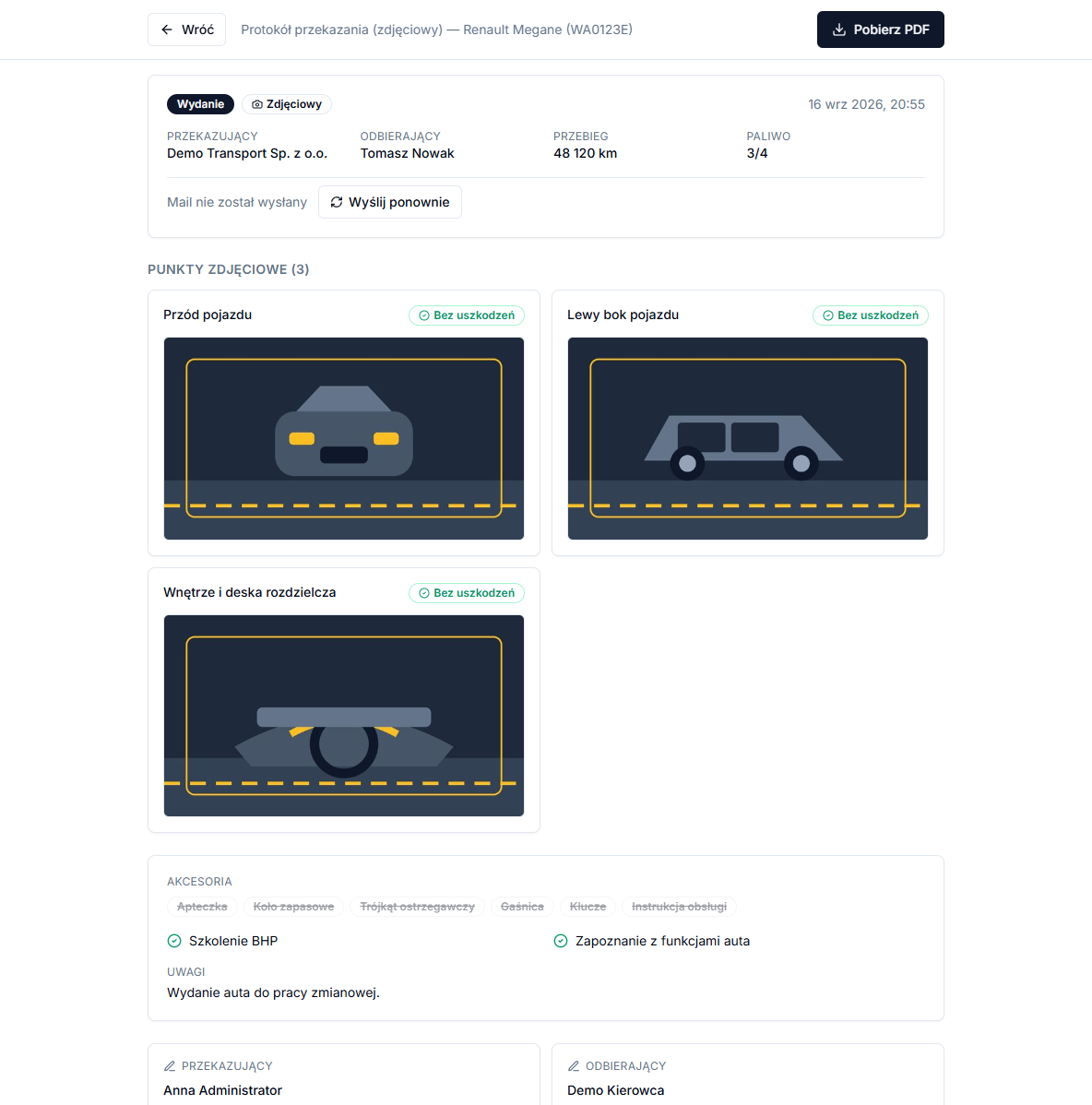
Reordering points is safe — dragging them on the settings list only changes the order of steps in the wizard. Renaming an existing point is riskier: it breaks the link to damage recorded at that point on the vehicle's previous protocol, because the match works by name, not by its position on the list — the "In the previous protocol" banner then stops appearing until the names match again. For that reason, rename points sparingly, ideally before the fleet starts using them day to day.
The photo-point and equipment lists are shared across the whole fleet — there is no way to set a separate checklist for a specific make or model. If the fleet has very different vehicles, such as estates and city cars, phrase point names and hints generally enough to fit all of them.
You do not need to open this page before the first protocol — both lists, photo points and accessories, seed themselves with the default set the first time they are needed, if the company has not configured them yet. It is still worth reviewing them early, though, so names and hints match the fleet's reality before drivers start relying on them day to day.