You add a driver once. At the same time you choose which template the driver will be settled with each week and the language of their PDFs.
Some screens of the panel are still in Polish. In these guides, button names are shown in Polish exactly as they appear on screen, with the English meaning in brackets.
Step by step
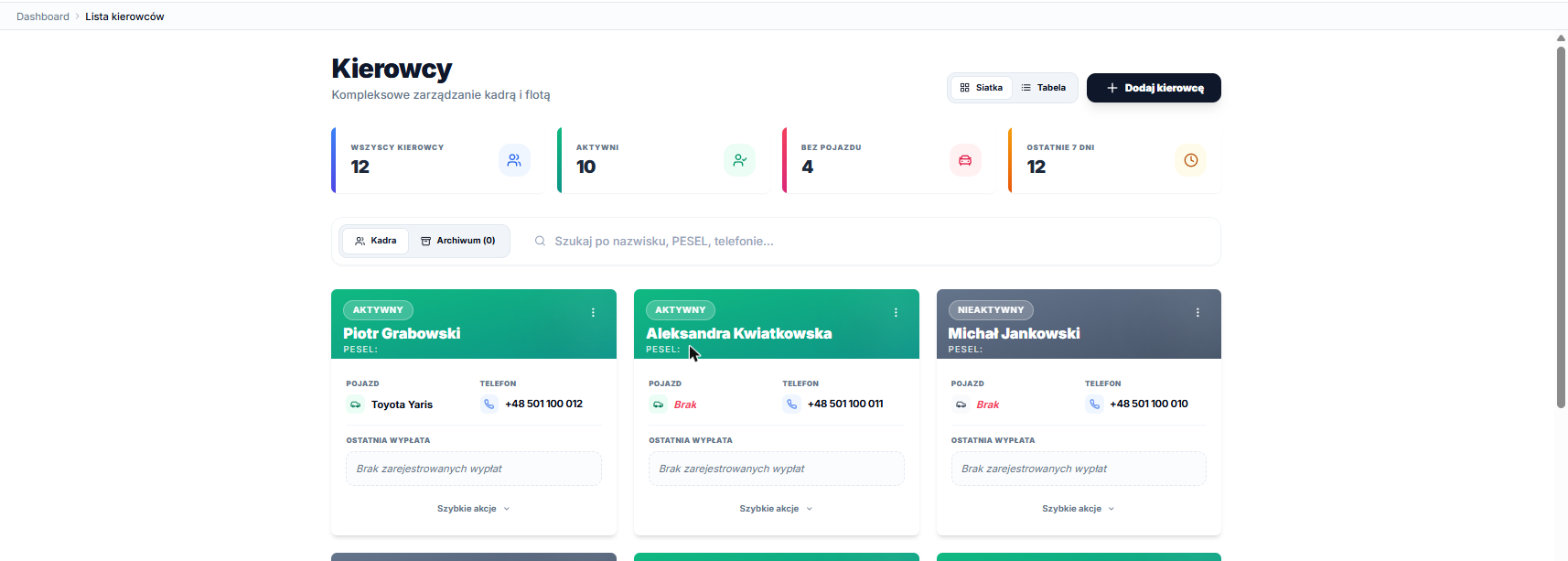
- In the menu, choose Kierowcy → Lista kierowców (Drivers → Driver list).
- Click Dodaj kierowcę (Add driver) in the top right corner of the list.
- Fill in the driver's details: first name, last name, PESEL, date of birth, e-mail, phone, address and driving licence number with its expiry date.
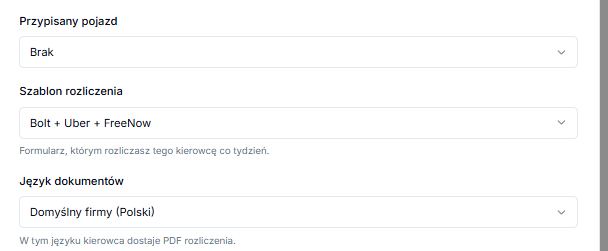
- Optionally choose an Przypisany pojazd (Assigned vehicle), or tick that the driver uses their own car.
- In Szablon rozliczenia (Settlement template), choose the template you'll use for this driver.
- In Język dokumentów (Document language), keep Domyślny firmy (Company default) or choose a specific language.
- Click Dodaj kierowcę (Add driver) at the bottom of the form.
Which template is selected by default?
For a new driver, the system pre-selects the template used by most drivers in your company, so usually there's nothing to change. If you choose Brak szablonu (No template), the driver will be settled with the older standard form.
Changing a driver's details
Click the driver in the list, then Edytuj profil (Edit profile). You can change the settlement template and document language in the same form.
A template change applies from the next saved settlement. Weeks that are already saved stay as they are.
A driver who no longer works with you
If a driver has settlement history, archive them instead of deleting them, so their settlements and documents stay in the system. A driver with no history at all can be deleted permanently.