Where to get a Bolt file
Download the driver earnings report from Bolt Fleet and upload it to TwojaFlota.
Open Bolt portalStep-by-step guide
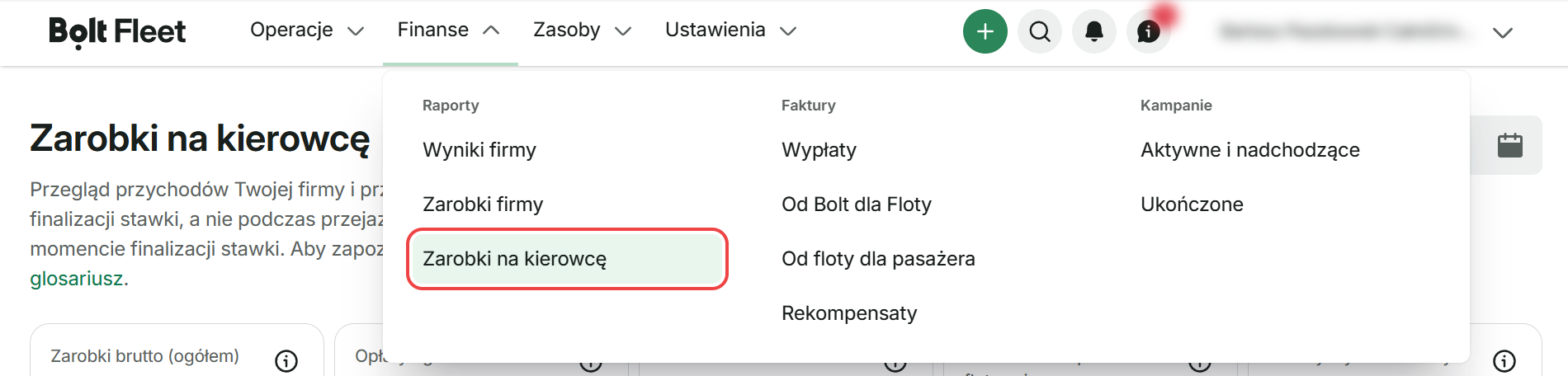
1Sign in to Bolt Fleet and go to Finance → Reports → Driver earnings.
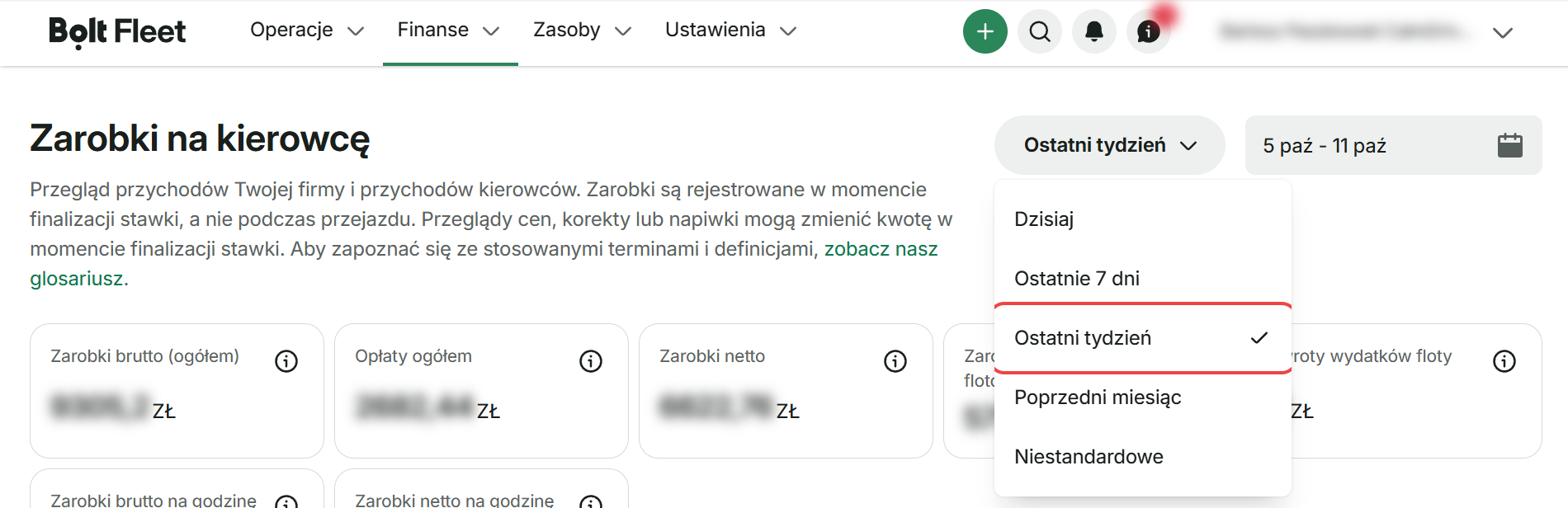
2In the top-right corner, select the “Last week” period (Monday–Sunday).
3Click Download and select “Driver earnings” (CSV export).

Look for file: Zarobki na kierowcę-….csv (or Driver earnings-….csv in English)
Have the file? Upload it in TwojaFlota: Settlements → Upload platform files.
See the settlement import guide →